> ## Documentation Index
> Fetch the complete documentation index at: https://docs.rodyne.xyz/llms.txt
> Use this file to discover all available pages before exploring further.
# Roles and permissions
> Use responsibility presets, custom capabilities, and Discord role policies safely.
Rodyne checks permissions in the API and again when queued provider work executes.
## Responsibility presets
| Preset | Typical access |
| -------------- | -------------------------------------------------------------------------------------------------------------------------------- |
| **Owner** | All workspace capabilities, including staff and billing administration. |
| **Manager** | Broad operations and configuration, excluding owner-only staff/billing and restricted Dash authority unless delegated by policy. |
| **Moderator** | Duty, members, support, cases, moderation, rank requests, and audit reading. |
| **Event host** | Members, events, rank requests, and duty. |
| **Viewer** | Workspace and member read access. |
Owners can add custom capabilities for responsibilities not covered by a preset. `billing.manage` and `staff.manage` remain owner-reserved in the standard model.
## Important capabilities
| Capability | Controls |
| --------------------------------- | ---------------------------------------------------------------- |
| `integrations.manage` | Connections, commands, mappings, and verification configuration. |
| `tickets.manage` | Ticket panels and ticket policy. |
| `tickets.read` / `tickets.write` | Support queue visibility and handling. |
| `ranks.request` / `ranks.approve` | Rank request creation and independent approval. |
| `cases.restricted` | Restricted report/case visibility. |
| `moderation.execute` | Explicit moderation execution. |
| `duty.manage` | Team shift history and corrections. |
| `dash.settings` / `dash.disclose` | Member Dash configuration and releases. |
## Discord role permission mode
Owners can map connected Discord roles to allowed Rodyne actions. Rules combine across a member's roles. Managed roles and `@everyone` cannot become staff rules. Ownership, permission administration, and billing cannot be granted by Discord role policy.
Policies start disabled to preserve existing staff access. Once enabled, current Discord role grants replace manual presets for non-owners.
Rodyne checks current guild membership and roles through Discord. Caller-supplied role IDs are never trusted. Removed membership, removed roles, a guild mismatch, or provider failure cannot grant access.
## Separation of duties
The requester cannot approve their own protected rank change. Queued work rechecks the requester and approvers before provider execution.
Enable Discord role enforcement only after testing with a non-owner account. The workspace owner retains recovery access if Discord is unavailable.
## Guided walkthrough
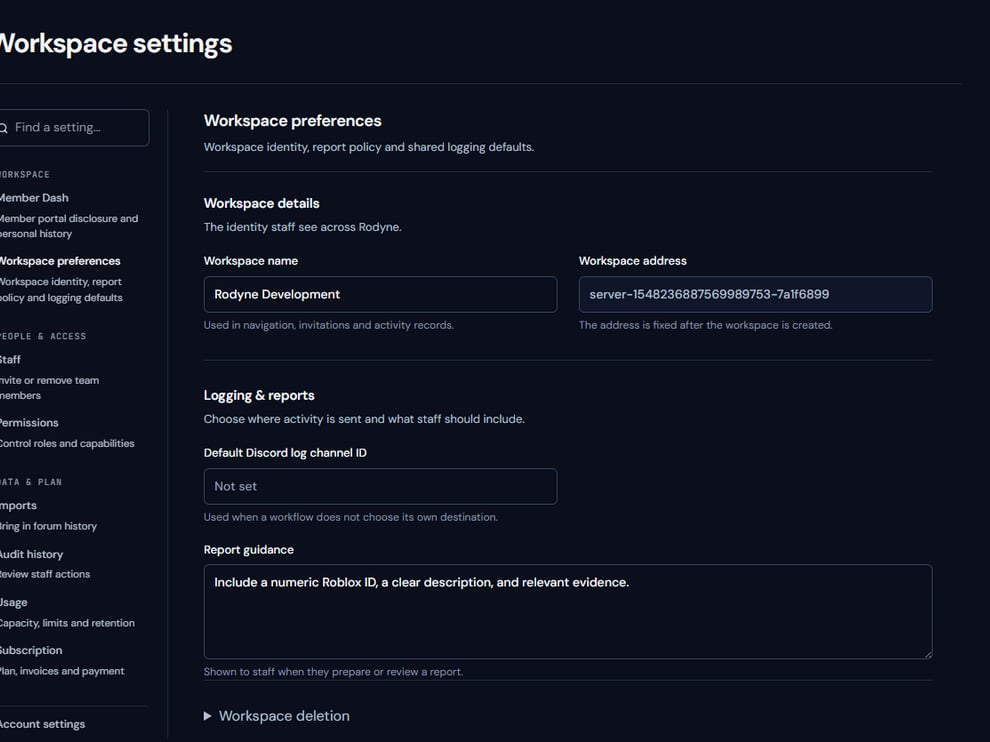 The screenshot above is from the live Rodyne product. Use it to orient yourself, but rely on the current record state and live provider checks when operating the workspace.
## Operating procedure
Start from the person's real operating duties, not their seniority label.
Use the smallest preset that covers the normal work.
Grant individual capabilities only when the responsibility requires them.
Verify visible pages and denied actions using their own account.
Remove access promptly when roles, guild membership, or responsibilities change.
## Acceptance checks
| Check | Ready when | If it is not ready |
| ---------------- | -------------------------------------------------------- | ------------------------------------ |
| Scope | Access applies only to the intended workspace | Remove cross-workspace membership |
| Sensitive grants | Billing and staff administration remain owner-controlled | Revoke the grant |
| Execution | Queued work rechecks current authority | Cancel or let the safe failure stand |
## Failure recovery
If enabling Discord role policy would remove valid staff access, keep enforcement disabled, correct the role mappings, and test with a non-owner. The owner account is the recovery path.
## Continue the workflow
The screenshot above is from the live Rodyne product. Use it to orient yourself, but rely on the current record state and live provider checks when operating the workspace.
## Operating procedure
Start from the person's real operating duties, not their seniority label.
Use the smallest preset that covers the normal work.
Grant individual capabilities only when the responsibility requires them.
Verify visible pages and denied actions using their own account.
Remove access promptly when roles, guild membership, or responsibilities change.
## Acceptance checks
| Check | Ready when | If it is not ready |
| ---------------- | -------------------------------------------------------- | ------------------------------------ |
| Scope | Access applies only to the intended workspace | Remove cross-workspace membership |
| Sensitive grants | Billing and staff administration remain owner-controlled | Revoke the grant |
| Execution | Queued work rechecks current authority | Cancel or let the safe failure stand |
## Failure recovery
If enabling Discord role policy would remove valid staff access, keep enforcement disabled, correct the role mappings, and test with a non-owner. The owner account is the recovery path.
## Continue the workflow