> ## Documentation Index
> Fetch the complete documentation index at: https://docs.rodyne.xyz/llms.txt
> Use this file to discover all available pages before exploring further.
# Plans and billing
> Compare plan limits and understand checkout, upgrades, and billing management.
Rodyne uses verified hosted checkout and billing management. A return from checkout does not activate a workspace until the backend confirms the subscription state.
## Plans
| Plan | Price | Staff | Communities | Experiences | History | Evidence | Restore points |
| ------------- | ---------: | --------: | ----------: | ----------: | --------: | -------: | ---------------: |
| **Starter** | \$5/month | 15 | 1 | 1 | 30 days | 250 MB | Platform backups |
| **Community** | \$10/month | 60 | 5 | 3 | 6 months | 2 GB | 1 saved point |
| **Network** | \$24/month | Unlimited | 20 | 10 | 12 months | 10 GB | 3 saved points |
Community supports additional communities at $2.50 each where available. Network supports them at $2 each.
## Checkout behavior
* Selecting a different unpaid plan expires the previous checkout.
* An active subscription must be changed through billing management.
* The checkout page shows the selected server, plan, and monthly price.
* Rodyne reconciles and polls the verified subscription after return.
* Test billing is labelled and is not a live entitlement.
## Choose a plan
Consider:
1. Number of staff who need dashboard access.
2. Number of controlled communities and experiences.
3. Required operational history.
4. Evidence storage and restore-point needs.
5. Whether Cnect network workflows are required.
## Billing safety
Only the owner or `billing.manage` authority can manage billing. If a successful charge appears but the workspace remains locked, do not create repeated checkouts; refresh once, open billing management, and contact support with the workspace and checkout reference.
Prices and limits shown here match the current product configuration. The checkout page is authoritative for the actual charge and currency presented to you.
## Guided walkthrough
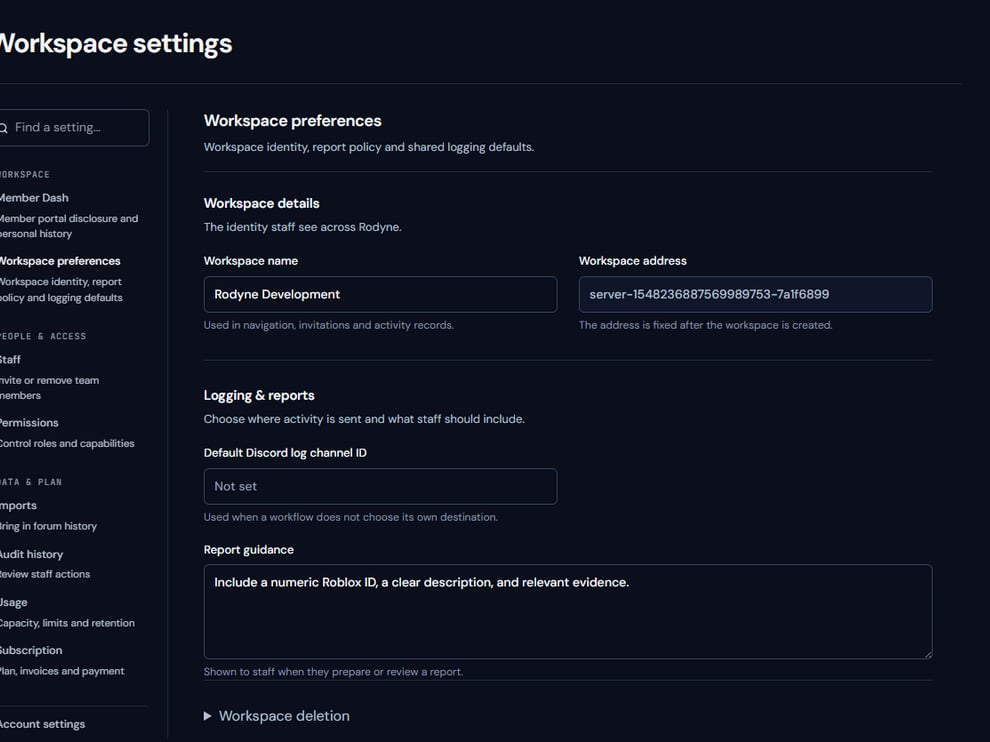 The screenshot above is from the live Rodyne product. Use it to orient yourself, but rely on the current record state and live provider checks when operating the workspace.
## Operating procedure
Count staff, communities, experiences, history, evidence, and restore-point requirements.
Select the plan that covers the near-term operating model.
Verify the server, plan, currency, and amount on the hosted payment page.
Return to Rodyne and allow the backend subscription status to update.
Change or cancel an active subscription through the verified billing portal.
## Acceptance checks
| Check | Ready when | If it is not ready |
| ----------- | --------------------------------------------- | ------------------------------------------- |
| Authority | Owner or billing manager initiated the change | Stop and use an authorized account |
| Checkout | Workspace and price are correct | Expire the checkout and start a correct one |
| Entitlement | Backend shows the active subscription | Do not create repeated checkouts |
## Failure recovery
A browser return from checkout is not proof of entitlement. If the charge succeeded but the plan is locked, preserve the checkout reference and contact support instead of paying again.
## Continue the workflow
The screenshot above is from the live Rodyne product. Use it to orient yourself, but rely on the current record state and live provider checks when operating the workspace.
## Operating procedure
Count staff, communities, experiences, history, evidence, and restore-point requirements.
Select the plan that covers the near-term operating model.
Verify the server, plan, currency, and amount on the hosted payment page.
Return to Rodyne and allow the backend subscription status to update.
Change or cancel an active subscription through the verified billing portal.
## Acceptance checks
| Check | Ready when | If it is not ready |
| ----------- | --------------------------------------------- | ------------------------------------------- |
| Authority | Owner or billing manager initiated the change | Stop and use an authorized account |
| Checkout | Workspace and price are correct | Expire the checkout and start a correct one |
| Entitlement | Backend shows the active subscription | Do not create repeated checkouts |
## Failure recovery
A browser return from checkout is not proof of entitlement. If the charge succeeded but the plan is locked, preserve the checkout reference and contact support instead of paying again.
## Continue the workflow