> ## Documentation Index
> Fetch the complete documentation index at: https://docs.rodyne.xyz/llms.txt
> Use this file to discover all available pages before exploring further.
# Local development
> Run the Rodyne monorepo and its disposable provider-safe development environment.
Local development uses Node.js 22+, pnpm 9, Docker Compose, PostgreSQL, MinIO, Mailpit, and provider-safe demo behavior.
## Start the stack
```bash theme={null}
pnpm install --frozen-lockfile
node scripts/local-env.mjs
docker compose build
docker compose up -d postgres minio mailpit
docker compose run --rm migrate
docker compose run --rm seed
docker compose up -d web api auth ingress connect worker
```
Open `http://localhost:3000/login` and choose a demo staff member.
Demo provider actions are labelled and must not be treated as live Discord or Roblox verification. Use a disposable local database for browser and API tests.
## Verification commands
```bash theme={null}
node scripts/run.mjs build
node scripts/run.mjs lint
node scripts/run.mjs typecheck
node scripts/run.mjs test
pnpm exec playwright install chromium
pnpm test:e2e
```
The API/database suite expects the explicitly seeded local test database. Browser tests create clearly named test records.
## Useful boundaries
* `MOCK_PROVIDERS=true` prevents real provider writes in the intended demo environment.
* Public URLs and callback allowlists must match each local service.
* Secrets belong in ignored environment files, never in client variables or fixtures.
* Additive migrations must be applied before code that depends on their columns or constraints.
## Documentation preview
From the Mintlify content directory:
```bash theme={null}
npx mint dev
```
Use the Mintlify CLI's validation output to resolve broken links, invalid `docs.json` settings, and MDX parse errors before pushing documentation changes.
## Guided walkthrough
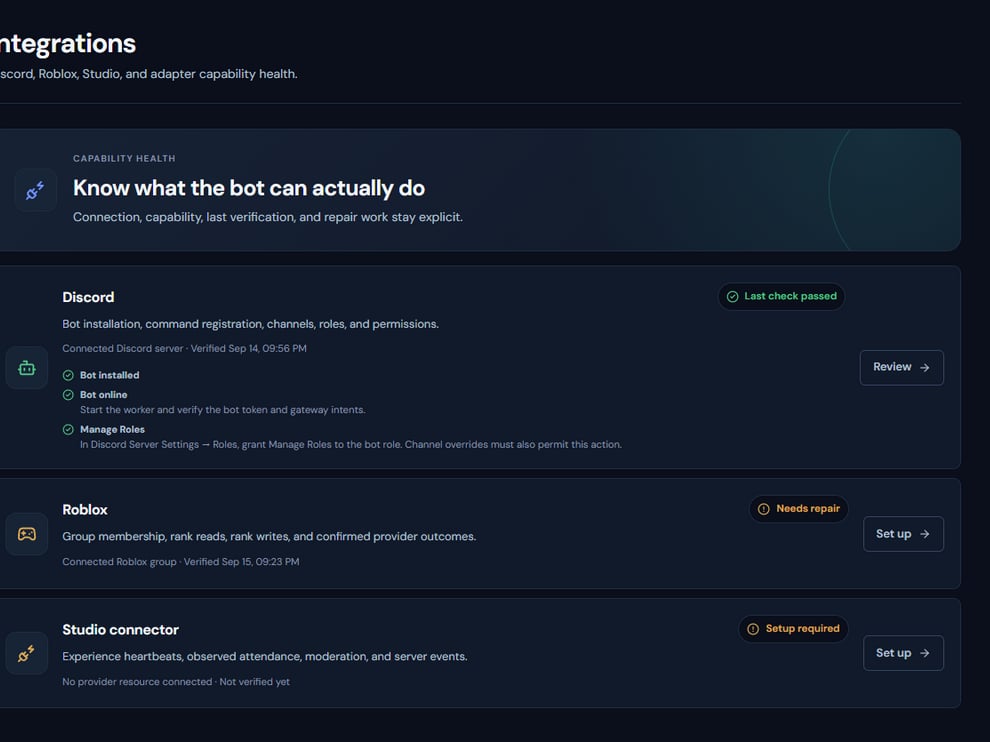 The screenshot above is from the live Rodyne product. Use it to orient yourself, but rely on the current record state and live provider checks when operating the workspace.
## Operating procedure
Use the documented Node, package manager, database, Redis, and environment versions.
Run migrations against the intended local database before starting services.
Run web, API, auth, ingress, connect, dash, and worker with distinct ports and secrets.
Use development Discord, Roblox, Stripe, and Studio resources only.
Create a job, let the worker execute it, and inspect the audit and read-back result.
## Acceptance checks
| Check | Ready when | If it is not ready |
| ------------- | ----------------------------------------- | ------------------------------------- |
| Configuration | Required environment validation passes | Correct the named variable |
| Dependencies | Database and Redis are reachable | Fix service URLs before app debugging |
| Worker | Queued jobs advance and heartbeats update | Inspect worker logs and leases |
## Failure recovery
Avoid disabling validation to make a local stack start. A missing secret, origin, audience, or queue dependency often creates misleading downstream failures.
## Continue the workflow
The screenshot above is from the live Rodyne product. Use it to orient yourself, but rely on the current record state and live provider checks when operating the workspace.
## Operating procedure
Use the documented Node, package manager, database, Redis, and environment versions.
Run migrations against the intended local database before starting services.
Run web, API, auth, ingress, connect, dash, and worker with distinct ports and secrets.
Use development Discord, Roblox, Stripe, and Studio resources only.
Create a job, let the worker execute it, and inspect the audit and read-back result.
## Acceptance checks
| Check | Ready when | If it is not ready |
| ------------- | ----------------------------------------- | ------------------------------------- |
| Configuration | Required environment validation passes | Correct the named variable |
| Dependencies | Database and Redis are reachable | Fix service URLs before app debugging |
| Worker | Queued jobs advance and heartbeats update | Inspect worker logs and leases |
## Failure recovery
Avoid disabling validation to make a local stack start. A missing secret, origin, audience, or queue dependency often creates misleading downstream failures.
## Continue the workflow