> ## Documentation Index
> Fetch the complete documentation index at: https://docs.rodyne.xyz/llms.txt
> Use this file to discover all available pages before exploring further.
# Import role binds
> Review and import JSON or CSV rank mappings without guessing provider identities.
The bind importer helps migrate existing Roblox-to-Discord mappings into Rodyne. It is a review workflow, not a blind bulk write.
## What can be imported
An import row identifies the Roblox group, Roblox rank, Discord role, label, order, protection, and approval behavior. JSON and CSV are supported by the dashboard importer.
The import can target:
* The primary Roblox group for verification and rank requests.
* A secondary group for Discord role synchronization only.
* A managed Cnect resource or an explicitly entered external group.
## Safe import flow
Use a file exported from the source system. Keep the original file until the Rodyne review and canary verification are complete.
Match each group to the correct managed Cnect resource or external numeric Group ID. Groups and experiences use separate namespaces.
Map each row to the actual Roblox Rank ID returned by the provider. Do not convert an order number or display label into a guessed Rank ID.
Resolve duplicate group/rank pairs, duplicate order positions, missing Discord roles, protected targets, and records that changed after preview.
The importer revalidates the preview and writes the accepted mappings together. Reuse the same retry action after a network error so idempotency can protect the import.
## After import
1. Refresh the Discord role catalog.
2. Search the ladder for every imported group and rank.
3. Confirm unique order values in the primary ladder.
4. Mark sensitive ranks protected.
5. Preview `/promote` and `/demote` adjacency.
6. Verify one controlled member in each group.
7. Submit one low-risk rank request in the primary group.
Importing a mapping does not change any member. The first later verification can add or remove unprotected managed Discord roles, so test with a controlled account before inviting a full-server refresh.
## Guided walkthrough
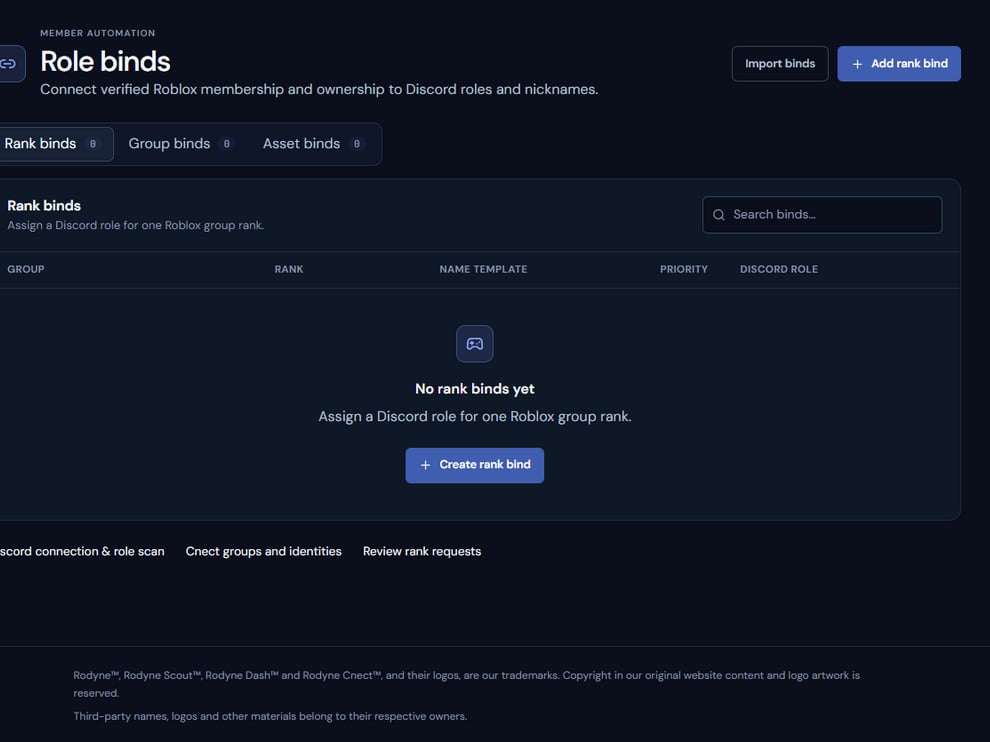 The screenshot above is from the live Rodyne product. Use it to orient yourself, but rely on the current record state and live provider checks when operating the workspace.
## Operating procedure
Keep the original export and record its system and export time.
Resolve numeric group, rank, and Discord role IDs without guessing from labels.
Review duplicates, missing roles, protected targets, and unsupported rows.
Submit the reviewed set with the same retry identity if the client disconnects.
Test one controlled member for each group represented by the import.
## Acceptance checks
| Check | Ready when | If it is not ready |
| ------------- | ---------------------------------------- | ---------------------------------------- |
| Groups | Every group ID is explicitly resolved | Map it to a managed or external resource |
| Ranks | Every rank exists in current Roblox data | Remove or correct stale rows |
| Discord roles | Roles exist and the bot can manage them | Refresh catalog and hierarchy |
## Failure recovery
Keep rejected rows separate from accepted ones and correct them in the source copy. A partially reviewed import should not be used as the baseline for later policy changes.
## Continue the workflow
The screenshot above is from the live Rodyne product. Use it to orient yourself, but rely on the current record state and live provider checks when operating the workspace.
## Operating procedure
Keep the original export and record its system and export time.
Resolve numeric group, rank, and Discord role IDs without guessing from labels.
Review duplicates, missing roles, protected targets, and unsupported rows.
Submit the reviewed set with the same retry identity if the client disconnects.
Test one controlled member for each group represented by the import.
## Acceptance checks
| Check | Ready when | If it is not ready |
| ------------- | ---------------------------------------- | ---------------------------------------- |
| Groups | Every group ID is explicitly resolved | Map it to a managed or external resource |
| Ranks | Every rank exists in current Roblox data | Remove or correct stale rows |
| Discord roles | Roles exist and the bot can manage them | Refresh catalog and hierarchy |
## Failure recovery
Keep rejected rows separate from accepted ones and correct them in the source copy. A partially reviewed import should not be used as the baseline for later policy changes.
## Continue the workflow