> ## Documentation Index
> Fetch the complete documentation index at: https://docs.rodyne.xyz/llms.txt
> Use this file to discover all available pages before exploring further.
# Investigate reports and cases
> Collect evidence, separate private notes, record decisions, and execute explicit moderation.
Reports and cases are for investigation and decisions. Tickets remain support conversations. Open **Community Management → Reports & cases**.
## Create a case
A case records a title, kind, priority, description, optional member, restricted status, and optional related case. Cases can originate in the dashboard, a Discord ticket, a bot command, or a signed in-game report.
## Investigation workflow
Verify the exact Discord and Roblox IDs. Unknown in-game subjects can receive a basic member record without inheriting a linked Discord identity or privilege.
Keep the original ticket or in-game submission separate from staff interpretation. Record source links and timestamps.
Add allegations, evidence references, messages, and private notes according to workspace policy. Restricted content remains capability-checked.
Capture the decision and reason before executing any moderation. A report never performs moderation automatically.
Select the exact scope, confirm the action, and follow the durable provider job to its terminal result.
## Moderation scopes
Rodyne supports the configured Discord and experience actions exposed by the workspace, plus a **No action** decision. Duration is required for temporary actions such as timeouts where applicable.
At execution, Rodyne rechecks:
* Staff capability and current workspace access.
* Discord membership, native permission, and hierarchy.
* Target identity and tenant scope.
* Provider availability and entitlement.
## Member notification
After a confirmed moderation action, Rodyne queues one DM with the community, action, case number, reason, and review guidance. Closed DMs are recorded as undelivered without failing the moderation. An interrupted result can remain unknown instead of being duplicated.
## Restricted cases
Restricted access is separate from ordinary case read/write permission. Do not paste restricted notes into tickets, announcements, public Discord replies, or Member Dash summaries.
Provider signals and Scout results are investigation inputs, not automatic findings. Confirm the evidence and record a human decision.
## Guided walkthrough
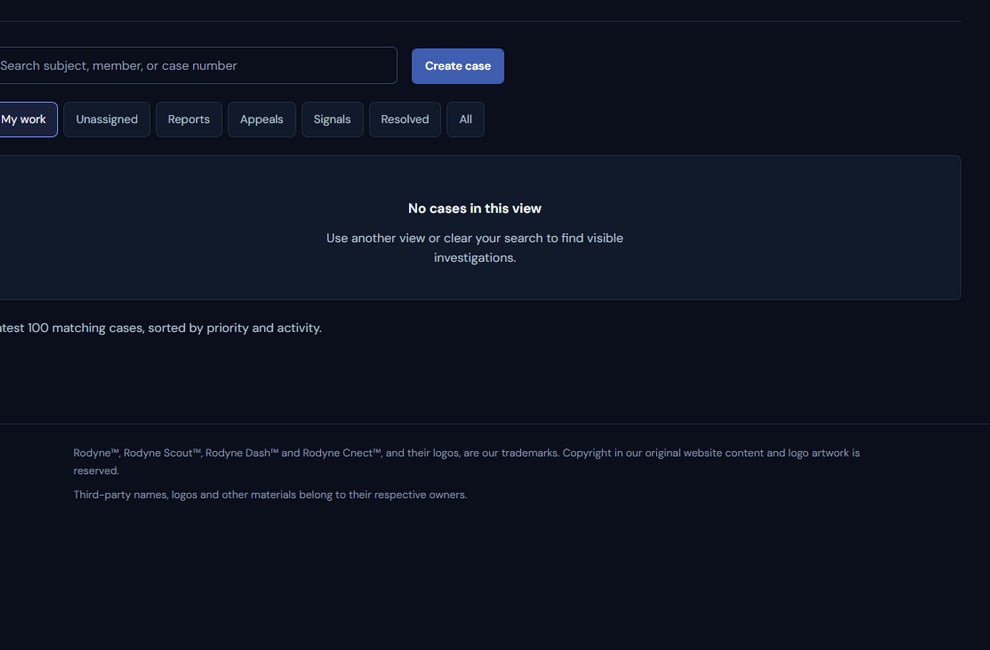 The screenshot above is from the live Rodyne product. Use it to orient yourself, but rely on the current record state and live provider checks when operating the workspace.
## Operating procedure
Retain the original statement, source, and timestamp before adding interpretation.
Resolve exact Discord and Roblox identities; leave unknown subjects explicitly unknown.
Mark sensitive work restricted and avoid copying it into broader surfaces.
Separate evidence, staff notes, allegations, and the final human decision.
Run moderation only after the decision, then follow each provider target to completion.
## Acceptance checks
| Check | Ready when | If it is not ready |
| -------- | ------------------------------------------------------ | ------------------------------------ |
| Source | Original report remains distinguishable from analysis | Restore provenance before deciding |
| Access | Only intended capabilities can read restricted details | Correct permissions and distribution |
| Decision | Reason and scope are recorded before execution | Return the case to investigation |
## Failure recovery
If a moderation target is unknown, keep the case open and inspect the live provider state. A missing DM is not the same as failed moderation; read the target outcomes separately.
## Continue the workflow
The screenshot above is from the live Rodyne product. Use it to orient yourself, but rely on the current record state and live provider checks when operating the workspace.
## Operating procedure
Retain the original statement, source, and timestamp before adding interpretation.
Resolve exact Discord and Roblox identities; leave unknown subjects explicitly unknown.
Mark sensitive work restricted and avoid copying it into broader surfaces.
Separate evidence, staff notes, allegations, and the final human decision.
Run moderation only after the decision, then follow each provider target to completion.
## Acceptance checks
| Check | Ready when | If it is not ready |
| -------- | ------------------------------------------------------ | ------------------------------------ |
| Source | Original report remains distinguishable from analysis | Restore provenance before deciding |
| Access | Only intended capabilities can read restricted details | Correct permissions and distribution |
| Decision | Reason and scope are recorded before execution | Return the case to investigation |
## Failure recovery
If a moderation target is unknown, keep the case open and inspect the live provider state. A missing DM is not the same as failed moderation; read the target outcomes separately.
## Continue the workflow