> ## Documentation Index
> Fetch the complete documentation index at: https://docs.rodyne.xyz/llms.txt
> Use this file to discover all available pages before exploring further.
# Configure roles and ranks
> Build a Roblox rank ladder, map Discord roles, and protect sensitive positions.
Open **Bot Management → Automations**. Mappings configure future verification and ranking behavior; saving a mapping does not immediately change any member.
## Mapping model
Each mapping joins:
* A Roblox Group ID.
* A real Roblox Rank ID.
* A Discord role ID.
* A display name.
* A unique numeric order.
* A required approval count from 1 to 5.
* An optional protected flag.
Lower order numbers appear first. The numeric Roblox Rank ID is the provider identity; the display name and order are Rodyne presentation and policy fields.
## Create the ladder
Prefer a managed Cnect group when available, or add an external Roblox group. The primary group powers rank requests; secondary groups are role-sync only.
Choose the rank returned by Roblox. For a legacy mapping, explicitly confirm its Group ID and Rank ID rather than inferring from its label.
Choose a role from the latest Discord scan or enter its ID. The live hierarchy is checked again during execution.
Give every mapping a unique order. Set the number of distinct approvers required to enter that target rank.
Protected ranks cannot be requested as targets. Their Discord roles are never automatically added or removed.
## Verification behavior
`/link`, `/verify`, and `/update` read membership across all bound groups and combine the matching Discord roles.
* Matching unprotected roles are added.
* Unmatched unprotected managed roles are removed.
* Unrelated and protected roles are preserved.
* If several mappings share a Discord role and any mapping is protected, that role is untouched.
* If a group membership lookup fails, no managed roles change.
## Rank behavior
* `/rank set` requests an eligible target in the primary group.
* `/promote` and `/demote` choose the immediately adjacent mapping.
* An adjacent protected rank stops the request; Rodyne does not skip over it.
* Duplicate order values block adjacent-rank commands until corrected.
* The requester cannot approve their own request.
## Editing safely
Rodyne uses optimistic checks so one manager does not overwrite another manager's newer change. If a mapping changed after you opened it, close the editor, refresh, and apply your change again.
Mappings with active rank work may be locked:
* Waiting, unexpired requests block removal.
* Queued or running changes block rule edits and removal.
* Reordering does not change the mapping IDs stored on existing requests.
Removing a mapping stops Rodyne from managing it. It does not directly remove an existing Roblox rank or Discord role.
Use the command preview to check configured adjacency and approvals. The preview performs no provider writes and cannot prove that live permissions or identity are ready.
## Guided walkthrough
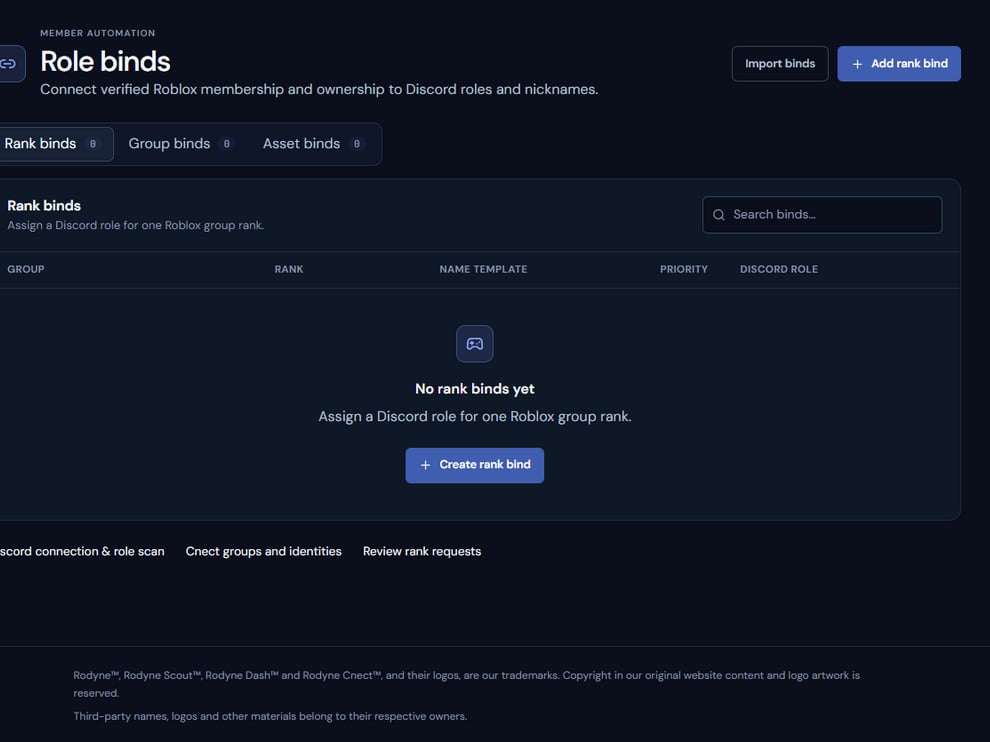 The screenshot above is from the live Rodyne product. Use it to orient yourself, but rely on the current record state and live provider checks when operating the workspace.
## Operating procedure
Load the current Roblox ranks and Discord roles before building mappings.
Add each real rank ID once and assign a unique order.
Protect owner and sensitive staff ranks and require suitable approval counts.
Check what promote and demote would select at every ladder edge.
Use a controlled member to confirm additions, removals, and protected-role preservation.
## Acceptance checks
| Check | Ready when | If it is not ready |
| ------------- | -------------------------------------------------- | --------------------------------------- |
| Rank identity | Every mapping uses a live Roblox Rank ID | Replace guessed labels or order numbers |
| Order | Each primary mapping has a unique order | Resolve duplicates |
| Protection | Sensitive roles cannot be targeted or auto-removed | Enable protection before rollout |
## Failure recovery
If a mapping changes while active work exists, inspect the request that holds the lock. Complete, expire, or safely cancel that work before editing policy; never delete a mapping to force a queued job through.
## Continue the workflow
The screenshot above is from the live Rodyne product. Use it to orient yourself, but rely on the current record state and live provider checks when operating the workspace.
## Operating procedure
Load the current Roblox ranks and Discord roles before building mappings.
Add each real rank ID once and assign a unique order.
Protect owner and sensitive staff ranks and require suitable approval counts.
Check what promote and demote would select at every ladder edge.
Use a controlled member to confirm additions, removals, and protected-role preservation.
## Acceptance checks
| Check | Ready when | If it is not ready |
| ------------- | -------------------------------------------------- | --------------------------------------- |
| Rank identity | Every mapping uses a live Roblox Rank ID | Replace guessed labels or order numbers |
| Order | Each primary mapping has a unique order | Resolve duplicates |
| Protection | Sensitive roles cannot be targeted or auto-removed | Enable protection before rollout |
## Failure recovery
If a mapping changes while active work exists, inspect the request that holds the lock. Complete, expire, or safely cancel that work before editing policy; never delete a mapping to force a queued job through.
## Continue the workflow