> ## Documentation Index
> Fetch the complete documentation index at: https://docs.rodyne.xyz/llms.txt
> Use this file to discover all available pages before exploring further.
# Product limits
> Operational limits, plan capacities, and bounded workflows.
Limits protect Discord/Roblox providers, keep review manageable, and distinguish plan capacity from workflow constraints.
## Plan capacity
| Limit | Starter | Community | Network |
| -------------------- | ------: | --------: | --------: |
| Staff | 15 | 60 | Unlimited |
| Communities | 1 | 5 | 20 |
| Experiences | 1 | 3 | 10 |
| History | 30 days | 180 days | 365 days |
| Evidence | 250 MB | 2 GB | 10 GB |
| Saved restore points | 0 | 1 | 3 |
## Workflow limits
| Item | Limit |
| -------------------------------------- | ------------------------------: |
| Custom Discord commands | 50 per workspace |
| Custom command string options | 5 |
| Custom embed fields | 10 |
| Custom embed URL buttons | 3 |
| Ticket types on one panel | 25 |
| Ticket buttons per row | 5 |
| Extra intake questions per ticket type | 3 |
| Required rank approvers | 1–5 |
| Members in one batch rank submission | 100 |
| Allowed announcement role mentions | 5 |
| Member Dash page size | 25 records |
| Studio signature clock tolerance | 120 seconds |
| In-game report rate | 1 per reporter every 30 seconds |
| Bug reports | 5 per staff member per hour |
## Provider and safety bounds
* Scout staff checks are rate-limited and provider failures enter a cooldown.
* Cnect provider targets use bounded automatic retries and circuit cooldowns.
* Ticket attachment URLs are references and can expire.
* Member Dash cursors are signed and bound to the user, server, settings revision, and filters.
* A mapping with active rank work cannot be removed.
Some limits can change as the service evolves. The live editor and checkout enforce the authoritative value for your current deployment and plan.
## Guided walkthrough
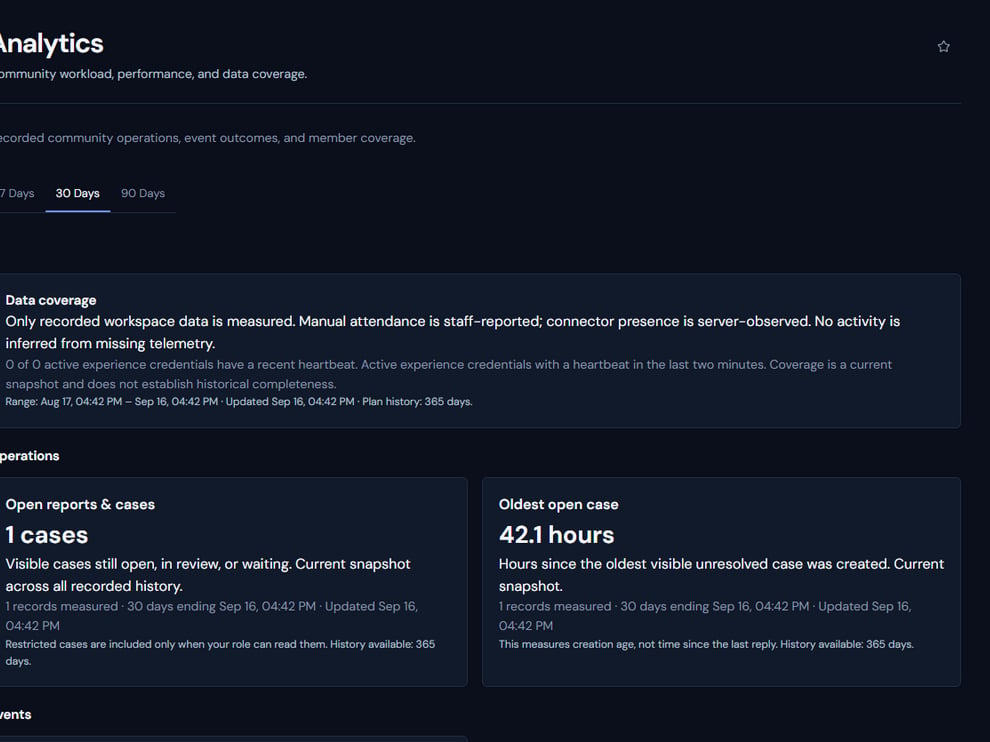 The screenshot above is from the live Rodyne product. Use it to orient yourself, but rely on the current record state and live provider checks when operating the workspace.
## Operating procedure
Separate plan capacity, workflow safety limits, and provider rate limits.
Check the relevant editor, queue, or billing view for the enforced current value.
Archive, close, or simplify obsolete configuration and records where policy permits.
Upgrade or redesign before the limit blocks a production workflow.
Confirm the editor and provider job accept the intended scale.
## Acceptance checks
| Check | Ready when | If it is not ready |
| --------- | ------------------------------------------------ | ----------------------------------------- |
| Type | Capacity or safety limit is correctly identified | Read the live editor message |
| Authority | Plan change is owner-approved | Route through billing management |
| Provider | External rate and object limits are respected | Back off and retry through supported jobs |
## Failure recovery
Never split one logical action into duplicate requests merely to bypass a safety limit. Use supported batching, pagination, or a plan change so audit and idempotency remain intact.
## Continue the workflow
The screenshot above is from the live Rodyne product. Use it to orient yourself, but rely on the current record state and live provider checks when operating the workspace.
## Operating procedure
Separate plan capacity, workflow safety limits, and provider rate limits.
Check the relevant editor, queue, or billing view for the enforced current value.
Archive, close, or simplify obsolete configuration and records where policy permits.
Upgrade or redesign before the limit blocks a production workflow.
Confirm the editor and provider job accept the intended scale.
## Acceptance checks
| Check | Ready when | If it is not ready |
| --------- | ------------------------------------------------ | ----------------------------------------- |
| Type | Capacity or safety limit is correctly identified | Read the live editor message |
| Authority | Plan change is owner-approved | Route through billing management |
| Provider | External rate and object limits are respected | Back off and retry through supported jobs |
## Failure recovery
Never split one logical action into duplicate requests merely to bypass a safety limit. Use supported batching, pagination, or a plan change so audit and idempotency remain intact.
## Continue the workflow