
Responsibility presets
Owners can add custom capabilities for responsibilities not covered by a preset.
billing.manage and staff.manage remain owner-reserved in the standard model.
Important capabilities
Discord role permission mode
Owners can map connected Discord roles to allowed Rodyne actions. Rules combine across a member’s roles. Managed roles and@everyone cannot become staff rules. Ownership, permission administration, and billing cannot be granted by Discord role policy.
Policies start disabled to preserve existing staff access. Once enabled, current Discord role grants replace manual presets for non-owners.
Rodyne checks current guild membership and roles through Discord. Caller-supplied role IDs are never trusted. Removed membership, removed roles, a guild mismatch, or provider failure cannot grant access.
Separation of duties
The requester cannot approve their own protected rank change. Queued work rechecks the requester and approvers before provider execution.Guided walkthrough
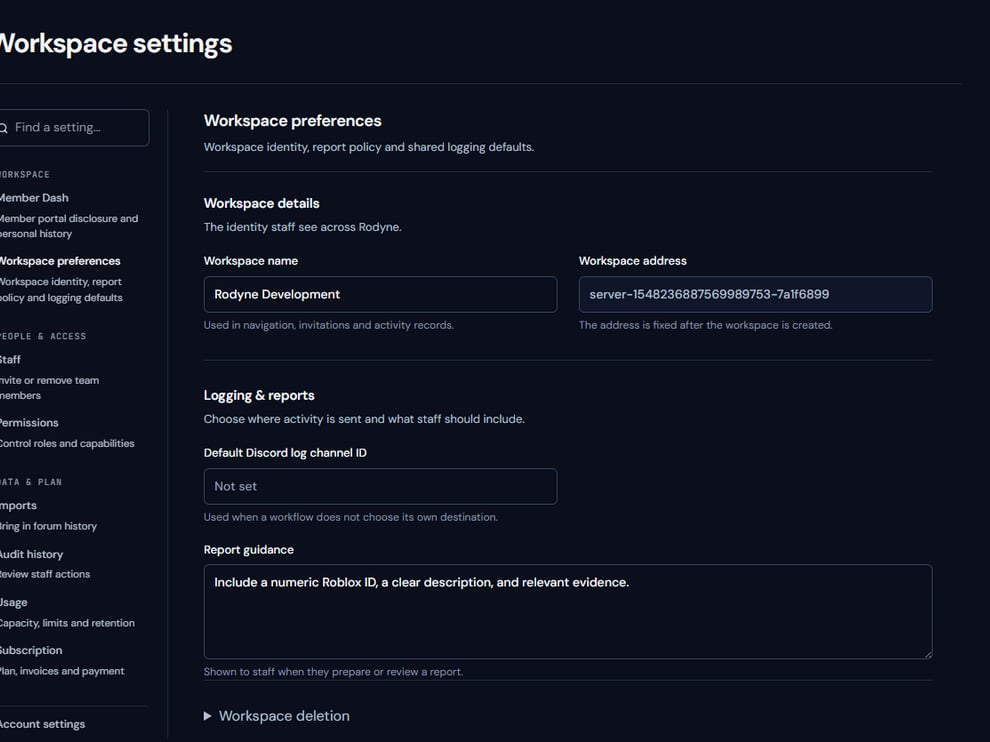
Permission changes begin from the scoped workspace settings surface.
Operating procedure
1
Define responsibility
Start from the person’s real operating duties, not their seniority label.
2
Choose the narrow preset
Use the smallest preset that covers the normal work.
3
Add explicit exceptions
Grant individual capabilities only when the responsibility requires them.
4
Test with the person
Verify visible pages and denied actions using their own account.
5
Review after change
Remove access promptly when roles, guild membership, or responsibilities change.