
Files
Credential scope
Credentials are scoped to a Roblox universe ID. Ingress rejects:- A different universe ID.
- A revoked credential.
- An invalid HMAC signature.
- A timestamp more than 120 seconds from the server window.
- A malformed or replayed event outside the idempotent contract.
Signature contract
HMAC covers the exact JSON request bytes. Do not parse and re-serialize the payload between signing and sending. Each event includes a unique event ID and timestamp. Retries preserve the same event ID. This lets ingress acknowledge a repeat without creating duplicate attendance or reports.Attendance contract
EVENT_IDis the Rodyne event UUID.- The event’s configured universe must match the credential.
Player.UserIdobserved by the server is authoritative.- Overlapping intervals are merged.
- Presence and duration do not encode a pass result.
Report contract
- Both arguments are current server
Playerobjects. - The reporter comes from Roblox’s server-side event context, never a client-provided numeric ID.
- Title and description use the connector’s bounded input contract.
- One submission per reporter is accepted every 30 seconds.
trueacknowledges ingestion, not completion of asynchronous record creation.
Compatibility
Cmdr, Adonis, and HD Admin compatibility is not claimed until a version-specific installation has passed live verification. The connector does not execute those systems’ commands.Rotation
Create a replacement credential, publish it, observe a recent heartbeat, then revoke the old one. Reversing that order can leave still-running servers unable to deliver.Guided walkthrough
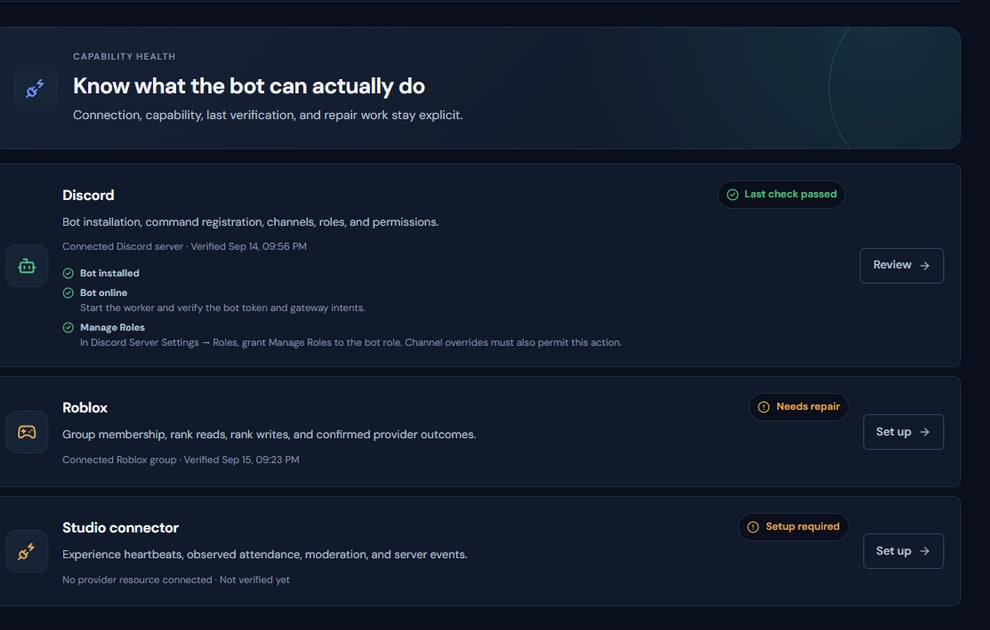
The integration view is the operational counterpart to the connector protocol reference.
Operating procedure
1
Create a credential
Bind it to the intended universe and capture the one-time secret securely.
2
Build the canonical request
Use the exact method, path, timestamp, event ID, and raw body required by the signature contract.
3
Sign server-side
Calculate HMAC with the credential secret only in trusted server code.
4
Retry idempotently
Reuse the same event ID and payload for the same logical event.
5
Confirm heartbeat and events
Use Integrations and Activity to verify accepted, rejected, and replayed requests.