
Plan capacity
Workflow limits
Provider and safety bounds
- Scout staff checks are rate-limited and provider failures enter a cooldown.
- Cnect provider targets use bounded automatic retries and circuit cooldowns.
- Ticket attachment URLs are references and can expire.
- Member Dash cursors are signed and bound to the user, server, settings revision, and filters.
- A mapping with active rank work cannot be removed.
Some limits can change as the service evolves. The live editor and checkout enforce the authoritative value for your current deployment and plan.
Guided walkthrough
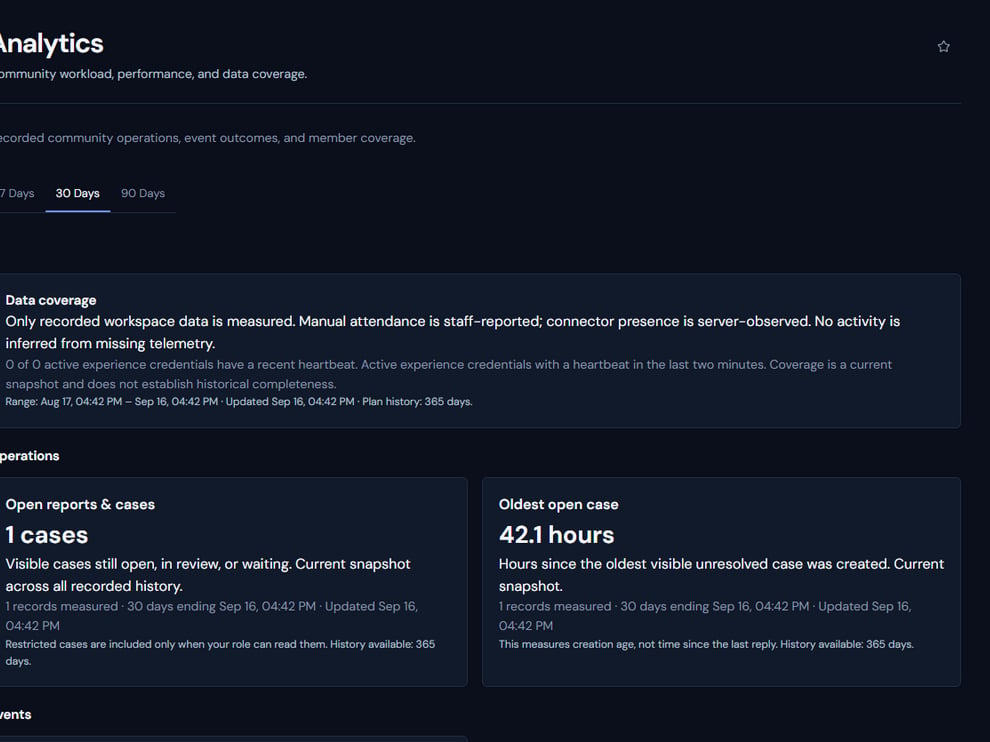
Limits are interpreted alongside actual workspace volume, retention, and data coverage.
Operating procedure
1
Identify the bound
Separate plan capacity, workflow safety limits, and provider rate limits.
2
Measure current use
Check the relevant editor, queue, or billing view for the enforced current value.
3
Reduce before expanding
Archive, close, or simplify obsolete configuration and records where policy permits.
4
Plan the change
Upgrade or redesign before the limit blocks a production workflow.
5
Retest
Confirm the editor and provider job accept the intended scale.