
Clock in
Eligible staff choose a duty area, such as Discord support or Roblox moderation, and clock in. The server stores the start time, so the timer survives navigation, refreshes, and browser restarts. Only one active shift is allowed per person in a workspace. Clock out to create the completed interval.Visibility
- Workspace staff can see the current on-duty list.
- Each staff member can read their own paginated shift history.
- Team history and corrections require owner, manager, or
duty.manageaccess. - Viewers cannot clock in unless they receive
duty.clockexplicitly.
Availability
Staff can keep a self-reported availability state. The roster also shows assigned-work counts limited to queues the viewer is allowed to read; it does not leak restricted case or ticket counts.Correct a shift
A correction requires:- A reason.
- Valid, non-future timestamps.
- The current record version.
duty.manageaccess.
Duty is self-reported staff time. It is separate from server-observed Roblox event attendance.
Guided walkthrough
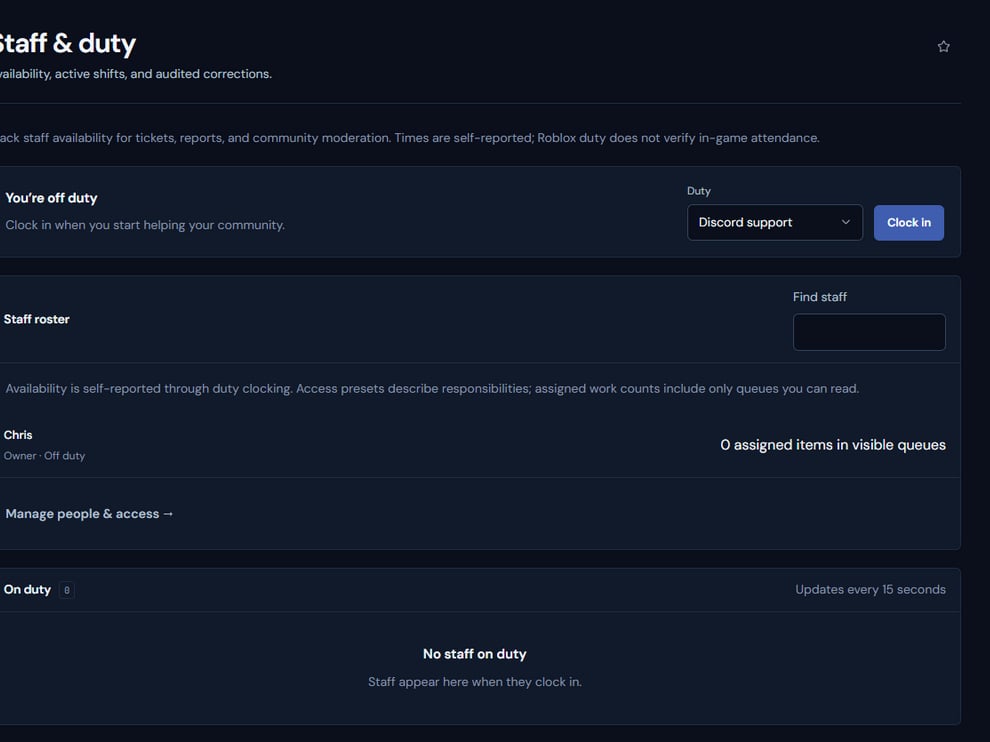
Staff & duty shows current availability, active shifts, and reviewed history.
Operating procedure
1
Set availability
Keep the self-reported state current before joining operational queues.
2
Choose the duty area
Clock into the work area that best describes the active responsibility.
3
Work assigned records
Use queue assignments rather than duty presence alone to show ownership.
4
Clock out
End the shift promptly so the stored interval reflects actual activity.
5
Correct with evidence
Managers should record a reason and preserve the original values when correcting history.